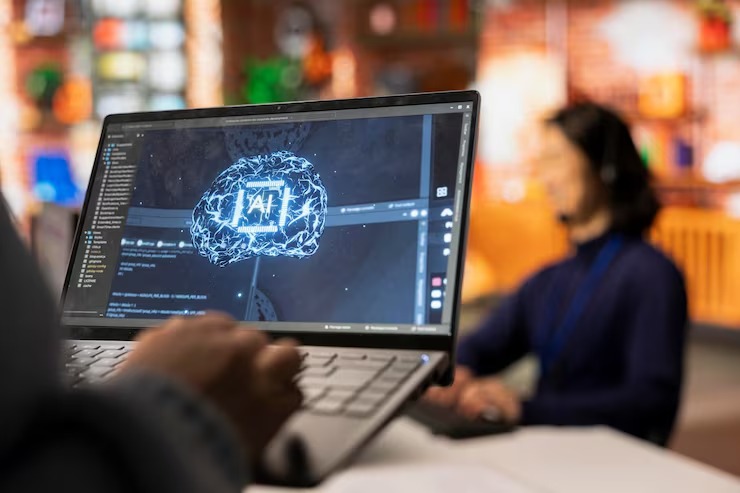
Small business teams need speed, focus, and better tools. Every minute matters. Slow devices waste time. Messy tasks slow down growth. This is why AI PCs are getting attention from business owners, remote teams, and office users. These computers bring smart AI features close to your work. They help with writing, meetings, data, security, and daily planning. You get more done with less stress.
What Are AI PCs?
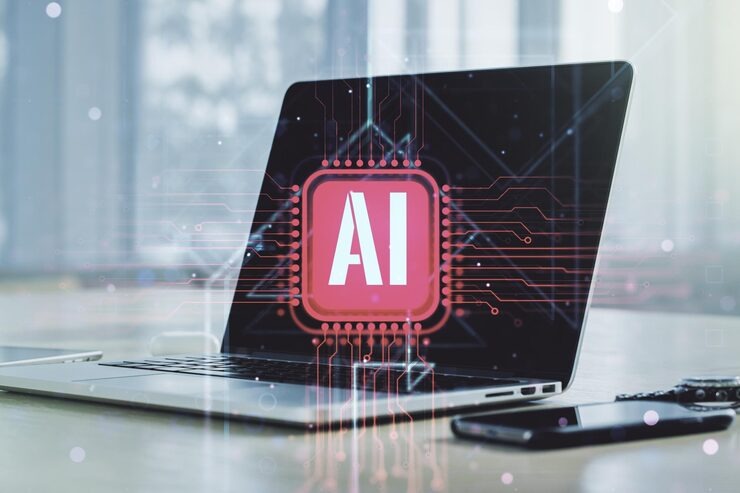
AI PCs are computers built to handle AI tasks better than standard computers. They often include a special chip called an NPU. NPU means Neural Processing Unit. Think of a NPU like a small helper inside your computer. Its job is to handle AI work without slowing down the main processor.
A normal PC handles documents, browsing, emails, calls, and apps. An AI PC does those tasks too. The difference comes from how well the device manages smart features. Voice cleanup, image work, live captions, notes, search, and task support work faster on the device.
This matters for small business. Your team does not need a huge tech setup. Your daily computer becomes smarter. Your staff gets help while they work. Your device also keeps many AI tasks local, which helps with speed and privacy.
Why Small Businesses Are Looking at AI PCs
Small businesses often work with tight budgets and small teams. One person handles many roles. A shop owner handles sales, emails, invoices, and customer chats. A designer handles calls, edits, reports, and proposals. A marketer handles content, research, ads, and tracking.
AI PCs support these busy workflows. They help reduce repeat work. They help organize ideas. They help clean up meetings. They help users search files faster. They also support better video calls, which matters for remote work and client meetings.
Many workers spend hours on admin work each week. Even small time savings add up. Saving 20 minutes per day gives over 80 hours per year for one person. For a five-person team, the time saved becomes much bigger.
How AI PCs Help With Daily Business Tasks
Better Meetings
Meetings take time. Notes take more time. AI PCs help with meeting notes, captions, sound cleanup, and camera effects. Background noise reduction helps when someone works from home, a cafe, or a shared office.
Live captions help team members follow calls with less effort. Smart camera framing keeps faces clear during video calls. These small features make meetings cleaner and more useful.
Faster Writing and Editing
Business writing appears everywhere. You write emails, proposals, social posts, product text, reports, and customer replies. AI tools on modern PCs help create drafts, fix grammar, shorten long text, and change tone.
You still control the message. The computer helps with the first draft or clean-up. This saves time and helps your team write with less pressure.
Quick File Search
Small businesses collect many files. Quotes, bills, images, contracts, reports, and client details pile up. AI search helps find files faster. You search with normal words, not exact file names.
For example, you might type “last month sales chart” or “client logo draft.” A smart search feature finds related files faster than manual folder checking.
Simple Data Help
Many small businesses use spreadsheets. They track sales, stock, costs, leads, and work hours. AI features help read patterns and create simple summaries. This helps owners see what needs attention.
You do not need to be a data expert. You ask simple questions. The tool gives a useful starting point. You still check numbers before making decisions.
Why AI Performance on the Device Matters
Some AI tools work in the cloud. They send tasks to online servers. This works well for many jobs, but local AI has real value. AI PCs process many tasks on the device. This means faster answers for supported features.
Local processing also helps when internet speed is weak. Your device still handles certain smart tasks. This helps people who travel, work in shared offices, or deal with unstable Wi-Fi.
Privacy also matters. Some business tasks include client notes, contracts, prices, and planning details. Local AI processing helps keep more work on your own device, depending on the app and settings you use.
Are AI PCs Good for Remote Teams?
Yes, remote teams gain clear benefits. Remote work depends on calls, chat, shared files, and fast task switching. AI PCs support these work habits.
A remote worker often has noise around them. Smart audio tools reduce noise. A remote team needs meeting notes. AI tools help create summaries. A manager needs updates. AI search helps pull files and notes faster.
For hybrid teams, these features help office workers and home workers stay aligned. Everyone gets cleaner calls, clearer notes, and faster access to work files.
AI PCs vs Standard Business Laptops
A standard laptop handles normal office tasks. An AI PC handles those tasks plus AI workloads with better efficiency. The NPU takes care of supported AI features. This helps save battery and keeps the device responsive.
Standard devices still work for basic tasks. Yet growing teams need tools built for current workloads. Video calls, AI writing support, live captions, image work, and smarter search all demand more from a device.
This is why many business buyers compare normal laptops with AI laptops for business before buying new devices. A cheaper old-style laptop might save money today. A smarter device might save more time across two or three years.
Key Benefits of AI PCs for Small Business
More Speed in Common Tasks
Speed does not only mean app loading time. Real speed means finishing work sooner. AI PCs help with notes, writing, search, calls, and summaries. These are tasks most teams handle every day.
Better Battery Life for AI Work
The NPU helps handle AI tasks with less strain on the CPU and GPU. This helps battery life during supported tasks. For mobile workers, this matters during travel, client visits, and long workdays.
Improved Client Work
Client service needs fast replies and clear records. AI tools help your team write replies, check notes, and prepare meeting summaries. This helps clients feel heard and supported.
Less Repeat Work
Repeat work drains energy. Copying notes, sorting text, cleaning meeting points, and searching for files all take time. AI PCs help reduce these small tasks across the day.
Simple Use Cases for Small Business Teams
Marketing Team
A marketing team creates posts, ads, reports, and campaign ideas. AI PCs help draft content, clean text, summarize research, resize images, and prepare reports. The team still reviews every output before publishing.
Sales Team
Sales staff handle calls, follow-ups, notes, and proposals. AI features help summarize calls, draft emails, find customer files, and prepare next steps. This helps sales people spend more time with leads.
Design Team
Designers work with images, layouts, notes, and client feedback. AI tools help remove noise from calls, organize feedback, and speed up small image tasks. This helps them focus on creative work.
Admin Team
Admin staff manage bills, files, schedules, and reports. AI search and writing help save time. Meeting summaries also help them track tasks with less manual typing.
What to Check Before Buying AI PCs
Do not buy only because a device has AI in the name. Check the specs. Look for a modern processor with a NPU. Check RAM, storage, battery life, camera quality, and warranty.
For most small business users, 16 GB RAM is a better starting point than 8 GB. Choose fast SSD storage. Pick a screen size your team likes. Remote workers often prefer lighter laptops. Designers and analysts often prefer bigger screens.
Also check software needs. Make sure your main tools work well on the device. If your team uses design apps, accounting tools, CRM software, or video platforms, test before buying in bulk.
Security Benefits for Business Users
Small businesses face email scams, weak passwords, and device loss. AI PCs often come with modern security features. These include face sign-in, fingerprint sign-in, secure chips, and better device protection.
AI also helps spot odd behavior in some security tools. Local AI support improves speed for supported security features. Still, you need good habits. Use strong passwords. Update devices. Train staff. Back up files.
Cost and Value for Small Teams
AI PCs cost more than basic laptops in many cases. The better question is value. If a device saves time every week, improves meetings, and supports safer work, the higher price makes sense for many teams.
Look at the full cost over three years. Add time saved, less support trouble, better battery, and longer device life. A low-cost laptop becomes expensive when staff lose time every day.
How to Start With AI PCs in Your Business
Start small. Buy one or two devices for staff who use many meetings, reports, or client files. Track results for one month. Ask simple questions.
- Did meetings become easier?
- Did writing tasks take less time?
- Did file search improve?
- Did battery life help mobile work?
- Did staff feel less stuck during daily tasks?
Use answers before buying more devices. This keeps spending under control and helps you choose the right model.
Common Mistakes to Avoid
Do not expect AI PCs to run your business for you. They support your team. They do not replace planning, customer care, or good decisions.
Do not ignore training. Staff need to learn simple AI habits. Show them how to write prompts, check outputs, protect data, and use meeting features.
Do not buy underpowered devices. AI tools need strong hardware. Cheap specs reduce the value of the purchase.
Future of AI PCs for Small Business
AI PCs will become more common in offices, schools, shops, and remote teams. More apps will support local AI features. Business software will add smarter search, better summaries, and task helpers.
Small businesses should prepare now. You do not need to replace every device today. Start with high-need users. Learn what works. Build a simple device plan for the next refresh cycle.
Summary
AI PCs help small businesses work faster, reduce repeat tasks, improve meetings, and support better daily decisions. They are useful for teams who write, meet, sell, design, manage files, or work from different places. Choose devices with strong specs, a modern NPU, good battery life, and trusted security features. Start small, test with real work, then expand when results make sense.
FAQs
What makes AI PCs different from regular PCs?
AI PCs include hardware built for AI tasks, often with a NPU. This helps run supported smart features faster and with better power use.
Are AI PCs useful for small businesses?
Yes. They help with meetings, writing, search, summaries, security, and daily admin work. Small teams gain value because every saved minute matters.
What should I check before buying an AI PC?
Check processor, NPU support, RAM, storage, battery, camera, warranty, and software fit. For many business users, 16 GB RAM and SSD storage make a better choice.
