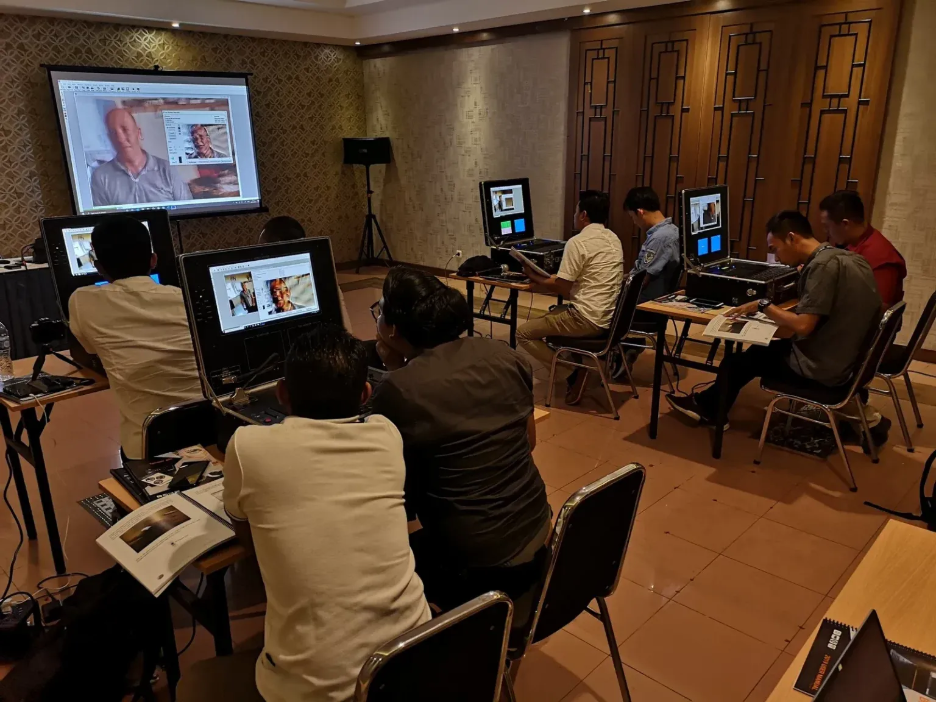
Clear video evidence helps your team see facts with less guess work. Forensic Analysis helps agencies study footage, clean poor video, and pull out details from CCTV, phones, dashcams, and body cameras. Daetech Systems supports law enforcement, military, public safety, and government teams with forensic video analysis solutions made for agency needs.
Why Forensic Analysis Matters in Real Cases
A case often starts with unclear footage. The camera angle looks poor. The light looks low. The face looks blurred. A number plate looks small. Your team needs a safe way to study the file and keep the evidence clear.
Forensic Analysis helps your team slow the video, check frames, compare details, and improve the view. This work supports better reports. Your team gets a cleaner way to explain what they saw and why they reached a finding.
Good software also helps reduce mistakes. A normal media player only plays video. Investigation software gives your team tools for frame checks, enhancement, measurement, and file handling.
What Daetech Systems Offers for Video Evidence
Daetech Systems offers forensic video analysis and investigation software for agencies with serious evidence needs. The aim stays simple. Help your team collect, process, study, and present video evidence in a clear way.
Your agency might work with shop CCTV, traffic footage, mobile phone clips, doorbell video, or public space cameras. Each source brings a different file type, size, angle, and quality. A strong system helps your team handle these files without losing the original value of the evidence.
Daetech Systems focuses on solutions for:
Law enforcement case teams
Military and security users
Public safety teams
Government agencies
Forensic labs
Intelligence teams
Academic and research users
The tools support real work, from evidence retrieval to analysis. Your team gets a workflow built for pressure, time limits, and record keeping.
Simple Ways Forensic Video Tools Help
Forensic video tools do many tasks, but the main goal stays clear. Help your team see useful details in a safe and measured way.
For example, your team might need to:
Clean noise from a dark clip
Stabilise shaky footage
Study one frame at a time
Compare faces, objects, or clothing
Read signs or number plates
Measure a scene from video
Track movement across frames
Prepare a clear report for review
These steps help your team explain video evidence in plain terms. The tool does not replace human judgement. The tool supports your trained team with cleaner views and better checks.
How Investigation Software Supports Agency Work
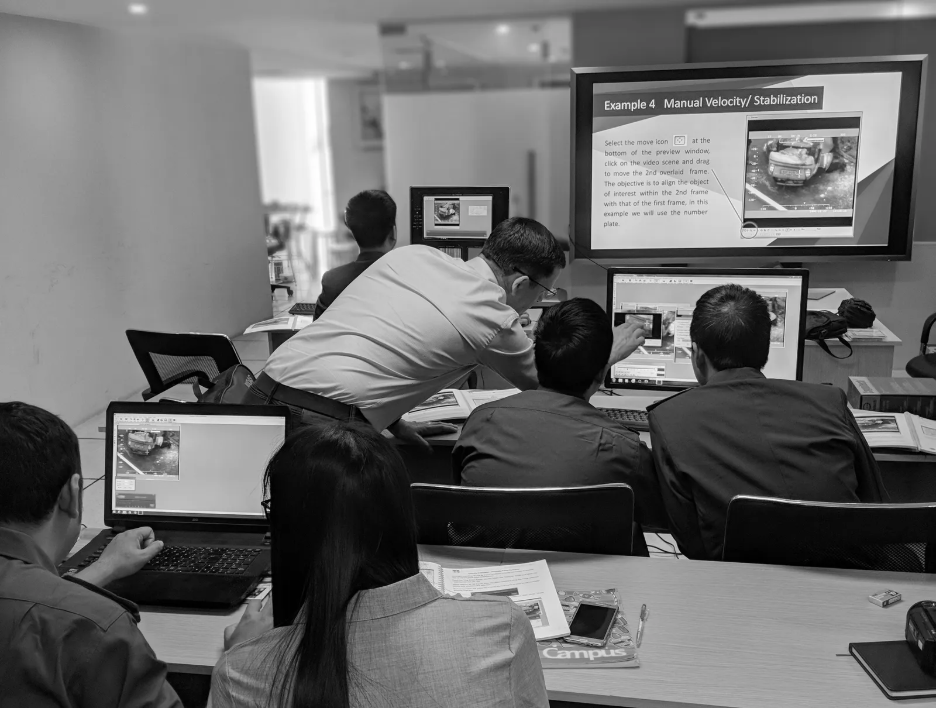
Investigation software helps your team manage evidence from start to finish. A file comes in. Your team checks the source. The footage gets reviewed. Key frames get saved. Notes get added. Reports get built.
Without a proper system, this work becomes messy. Files spread across folders. Notes get lost. Different users make different copies. That creates risk.
A strong workflow helps your team keep order. Your people know where the file came from, what steps were taken, and what result was produced. This matters when your team must explain each step later.
For agencies, the benefit is practical. Less time spent fighting bad files. More time spent finding useful facts.
Digital Forensics and Video Evidence
Modern cases often include video, images, audio, phones, drives, and online files. This is where Digital Forensics becomes important. Your team needs tools made for modern evidence, not basic editing apps. A simple edit tool might change a file without a clear trail.
Forensic software gives a safer way to process evidence. Your team works with proper methods, checks, and repeatable steps. This matters because video evidence needs trust. A court, review board, or senior officer might ask how a detail was found. Your team needs a clear answer. Proper software helps show the process behind the result.
Key Features Your Team Should Look For
The right forensic video analysis solution should fit your agency work. Each team has different needs, but some features matter for most cases.
Look for tools with:
Video enhancement for poor quality footage
Frame-by-frame review
Noise reduction
Deblurring support
File conversion
Camera calibration support
Scene measurement tools
Secure evidence handling
Report support
Training and support options
These features help your team work faster and with more care. They also help new users follow a better process from the first case.
Real Example of a Video Review Workflow
Think of a simple case. A camera records a vehicle leaving a site at night. The clip is dark. The camera shakes. The number plate is not easy to read.
Your team starts by saving the original file. Then they load a working copy into the investigation software. They check the best frames. They improve brightness, reduce noise, and compare nearby frames. They mark the clearest view and save still images for review.
Next, they write notes on each step. They record which tools were used. They add the best images to the report. This gives the case team a cleaner result and a clearer record.
This process is simple, but helpful. It turns a poor clip into useful evidence work.
Why Agencies Need Bespoke Solutions
No two agencies work the same way. One team works in a lab. One team works in the field. One team handles large video files every day. Another team needs portable tools for fast response.
Daetech Systems builds and supplies solutions made for these different needs. That matters because software alone is not always enough. Your team might need hardware, training, setup help, and support.
A good system should match your environment. It should fit your evidence volume, user skill level, security needs, and reporting process. This helps your team use the tools with less delay.
Training Makes the Tools More Useful
Even strong software needs trained users. Your team should know what each tool does, when to use it, and when to stop. Over-processing a video leads to poor judgement. Careful processing supports better results.
Training helps users follow the same steps. It also helps teams explain their work in simple words. This is useful when a report goes to senior staff, investigators, legal teams, or a court setting.
Daetech Systems supports agencies with solutions and training, so users are ready for real case work.
Summary
Forensic Analysis helps agencies study video evidence with more control. Daetech Systems gives teams tools for evidence retrieval, processing, video enhancement, and investigation work. The goal is clear. Help your team see useful details, keep a safer workflow, and support better case decisions.
With the right investigation software, your team handles poor footage with more care. You review frames, improve clarity, track findings, and prepare reports in a cleaner way. For law enforcement, military, government, and public safety teams, this creates a stronger path from raw footage to useful evidence.
FAQ
What is forensic analysis in video evidence?
Forensic analysis means studying video or image evidence in a careful way. Your team checks frames, improves clarity, and records each step, so the result is easier to review.
Why do agencies need forensic video analysis software?
Agencies need forensic video analysis software because normal video players do not give enough tools. Investigation software helps review, enhance, measure, and manage evidence with better control.
Does Daetech Systems support agency-specific needs?
Yes. Daetech Systems offers solutions made for law enforcement, military, public safety, government, forensic labs, and similar teams. The systems match agency needs, evidence work, and training needs.
